Pulse Deck: view multiple VCD files in one window, including Wokwi logic analyser captures
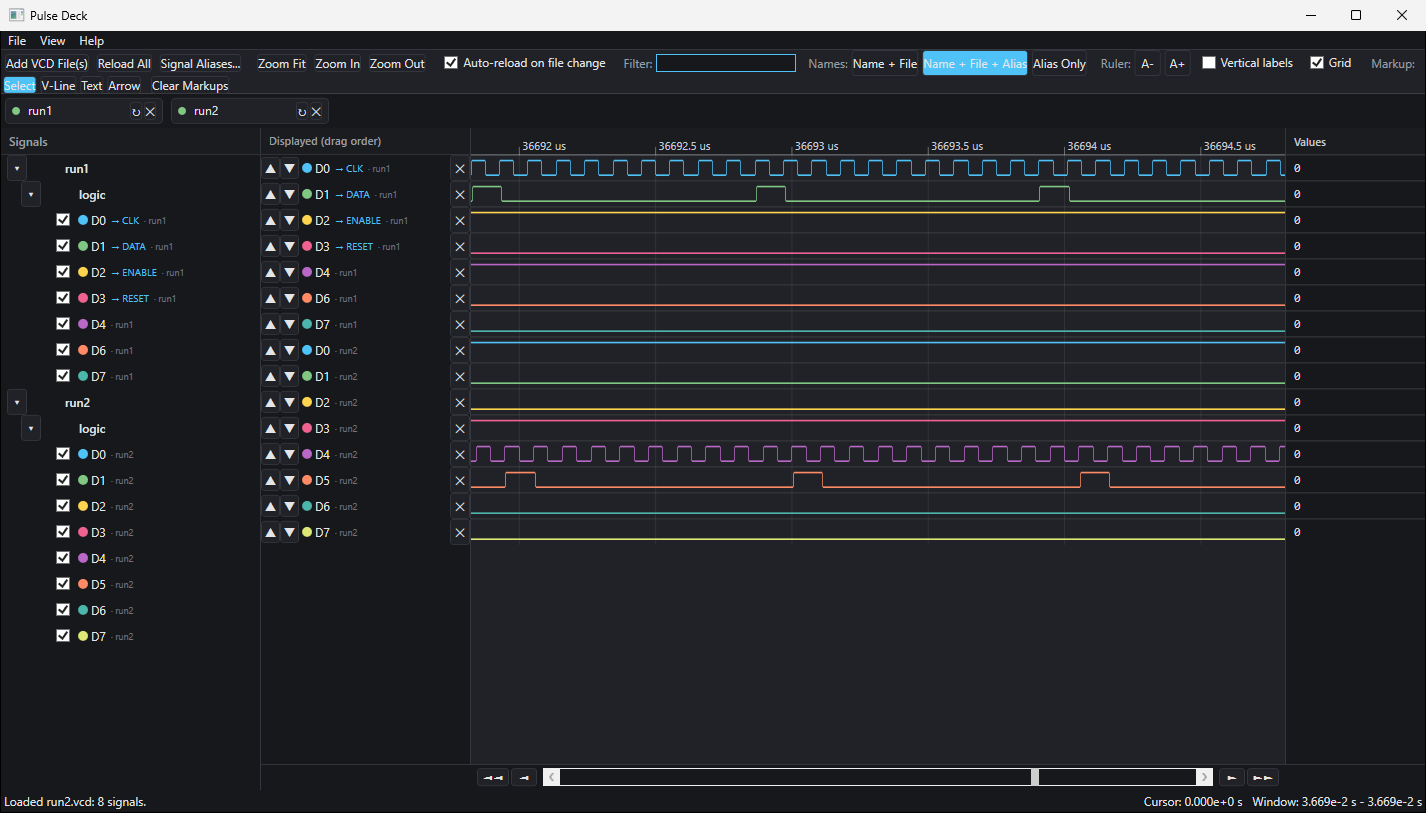
Pulse Deck is a free, open-source waveform viewer that opens several VCD files at once and shows their signals on one shared time axis. It is a Windows-only program. I wrote it to solve a problem I kept running into with Wokwi, and I think other Wokwi users may find it useful too.
The Wokwi problem
Wokwi is an online electronics simulator, and one of its most useful parts is a virtual digital logic analyser. You wire it to the signals you care about, run the simulation, and it hands you a VCD (Value Change Dump) file of everything it saw.
The catch is that each logic analyser has eight channels, D0 to D7. A design of any size soon needs more than eight signals, so you add a second analyser, then a third, and each one writes its own VCD file.
Now the signals you want to compare are spread across several files. Waveform viewers are generally built around one capture at a time, so lining up a clock in one file against a data line in another means flipping between windows and matching timestamps by eye.
Pulse Deck was built to remove that step: load all the files, and every channel from every analyser sits on the same time axis.
Not only for Wokwi
VCD is a standard format, and Pulse Deck reads VCD files from any tool, not just Wokwi.
The same multi-file view is useful for comparing simulation runs. Load the "before" and "after" captures one above the other, zoom in to the edge you care about, and you can see what difference your change made to the logic.
What it does
- Several files, one time axis. Each file gets a short label, and a marker shows where each capture's data ends.
- Auto-reload. When a file changes on disk, Pulse Deck re-reads it. Save a fresh capture over the old one and the view updates, with new signals flagged and vanished ones kept in place so your layout survives.
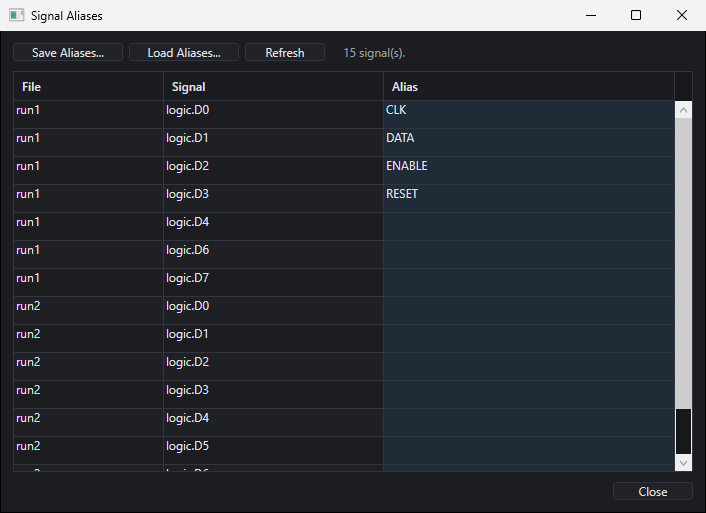
- Your own signal names. Channels called D0 to D7 don't tell you much. Give any signal an alias, choose how names are displayed, and save alias sets to reuse later.
- Your own order and colours. Pick which signals to show, reorder them freely across files, and colour them.
- Cursor and values. Click the waveform and a column shows every signal's value at that moment.
- Markup. Drop time markers, add notes, and draw arrows that are labelled with the time gap between two points.
- Workspaces. Save the whole session, including files, signal settings, markup and view, and pick it up again later.
Get it
The source code, documentation and downloads are on GitHub:
github.com/fluxfocus/pulse-deck
Pulse Deck runs on 64-bit Windows 10 and 11 only. It is built on Microsoft's Windows desktop framework, so there is no Mac or Linux version.
Ready-to-run builds are on the releases page. There are two downloads: a small one that needs the .NET 10 Desktop Runtime installed, and a larger standalone one that needs nothing else. Unzip and run PulseDeck.App.exe.
Early days
This is version 0.1.0, a pre-release. It does what I need today, but file formats and behaviour may still change before version 1.
Pulse Deck is released under the MIT licence, so you are free to use it, modify it and share it, as long as the copyright notice stays with it.
A significant portion of the code was written by Claude, Anthropic's AI model, under my direction.
If you try it and find a bug or have an idea, please open an issue on the GitHub repository.
Leave a Reply